> ## Documentation Index
> Fetch the complete documentation index at: https://docs.flowripple.com/llms.txt
> Use this file to discover all available pages before exploring further.
# HTTP Actions Overview
> Learn about HTTP Actions — reusable HTTP request templates you can configure once and use across multiple workflows.
# HTTP Actions Overview
HTTP Actions are reusable HTTP request templates that you configure once and use across multiple workflows. Instead of rebuilding the same API call in every workflow, you define it once as an HTTP Action and reference it from any workflow step.
## How HTTP Actions Work
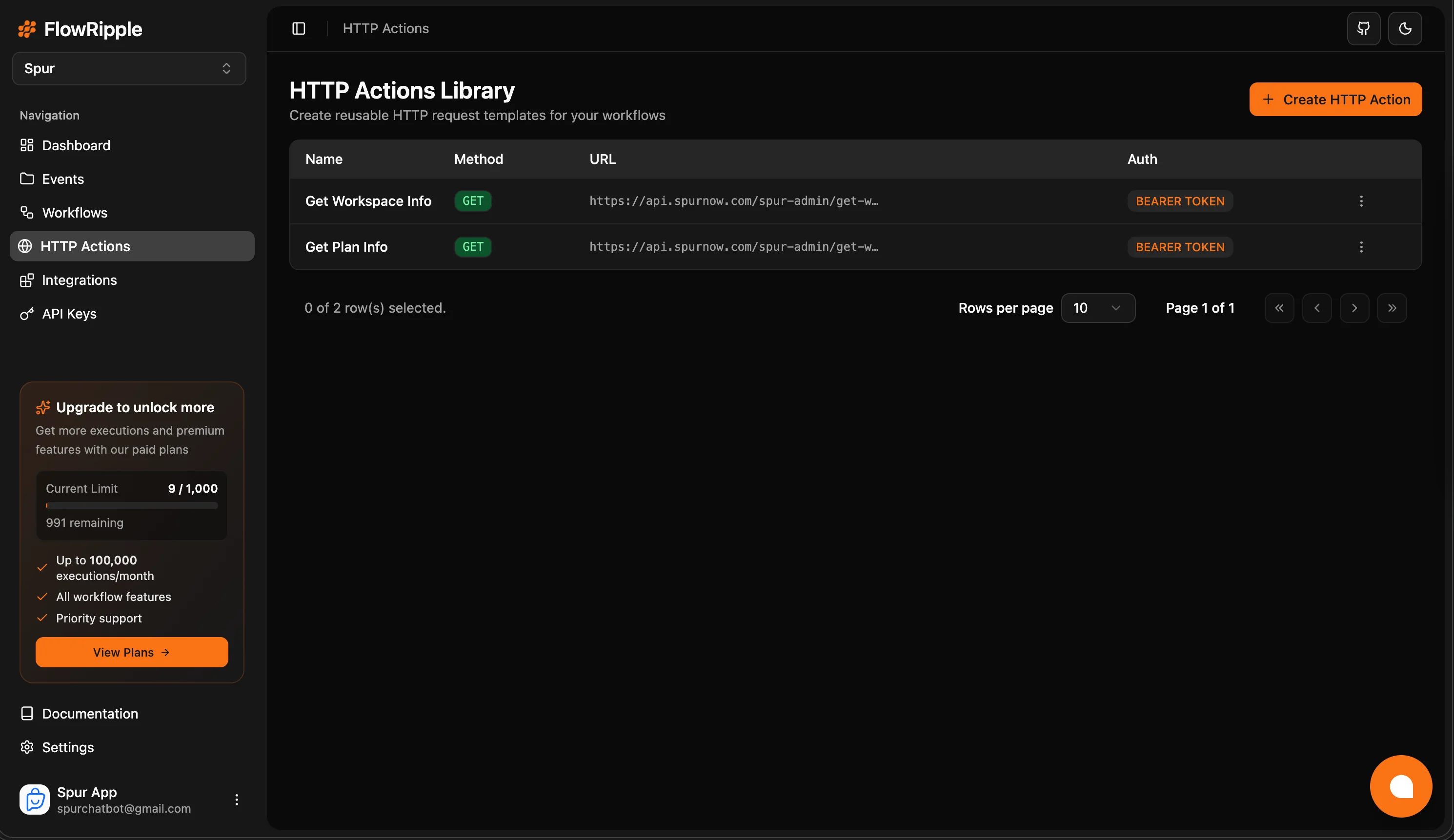 1. **Define**: Create an HTTP Action with method, URL, headers, auth, and body configuration
2. **Parameterize**: Add input variables (`{{variableName}}`) to make the request dynamic
3. **Map outputs**: Test the action and map response values to named output variables
4. **Reuse**: Add the action to any workflow, map inputs, and access outputs downstream
## Key Benefits
Define an API call once, use it in as many workflows as needed. Changes to the action propagate everywhere.
Configure authentication (API Key, Bearer Token, Basic Auth) in one place instead of per-workflow.
Parameterize requests with `{{variableName}}` syntax. Auto-detect variables from your URL, headers, and body.
Extract specific values from API responses using JSON paths and expose them as workflow variables.
## HTTP Actions vs Inline HTTP Requests
Workflows support two modes for HTTP requests:
| | HTTP Action (Library Mode) | Inline HTTP Request (Custom Mode) |
| ------------------- | --------------------------------------- | ---------------------------------- |
| **Reusable** | Yes — shared across workflows | No — defined per workflow step |
| **Auth management** | Centralized in the action | Configured in each step |
| **Input variables** | Typed, named parameters | Raw variable interpolation |
| **Output mappings** | Pre-defined JSON path extractions | Manual per-step configuration |
| **Testing** | Dedicated test panel with sample values | Preview & test in workflow builder |
| **Best for** | Repeated API calls across workflows | One-off or unique requests |
Use HTTP Actions for any API call you expect to use more than once. Use inline HTTP requests for one-off calls specific to a single workflow.
## What's Next?
Configure method, URL, auth, input variables, and output mappings.
Add HTTP Actions to your workflows and map inputs and outputs.
1. **Define**: Create an HTTP Action with method, URL, headers, auth, and body configuration
2. **Parameterize**: Add input variables (`{{variableName}}`) to make the request dynamic
3. **Map outputs**: Test the action and map response values to named output variables
4. **Reuse**: Add the action to any workflow, map inputs, and access outputs downstream
## Key Benefits
Define an API call once, use it in as many workflows as needed. Changes to the action propagate everywhere.
Configure authentication (API Key, Bearer Token, Basic Auth) in one place instead of per-workflow.
Parameterize requests with `{{variableName}}` syntax. Auto-detect variables from your URL, headers, and body.
Extract specific values from API responses using JSON paths and expose them as workflow variables.
## HTTP Actions vs Inline HTTP Requests
Workflows support two modes for HTTP requests:
| | HTTP Action (Library Mode) | Inline HTTP Request (Custom Mode) |
| ------------------- | --------------------------------------- | ---------------------------------- |
| **Reusable** | Yes — shared across workflows | No — defined per workflow step |
| **Auth management** | Centralized in the action | Configured in each step |
| **Input variables** | Typed, named parameters | Raw variable interpolation |
| **Output mappings** | Pre-defined JSON path extractions | Manual per-step configuration |
| **Testing** | Dedicated test panel with sample values | Preview & test in workflow builder |
| **Best for** | Repeated API calls across workflows | One-off or unique requests |
Use HTTP Actions for any API call you expect to use more than once. Use inline HTTP requests for one-off calls specific to a single workflow.
## What's Next?
Configure method, URL, auth, input variables, and output mappings.
Add HTTP Actions to your workflows and map inputs and outputs.